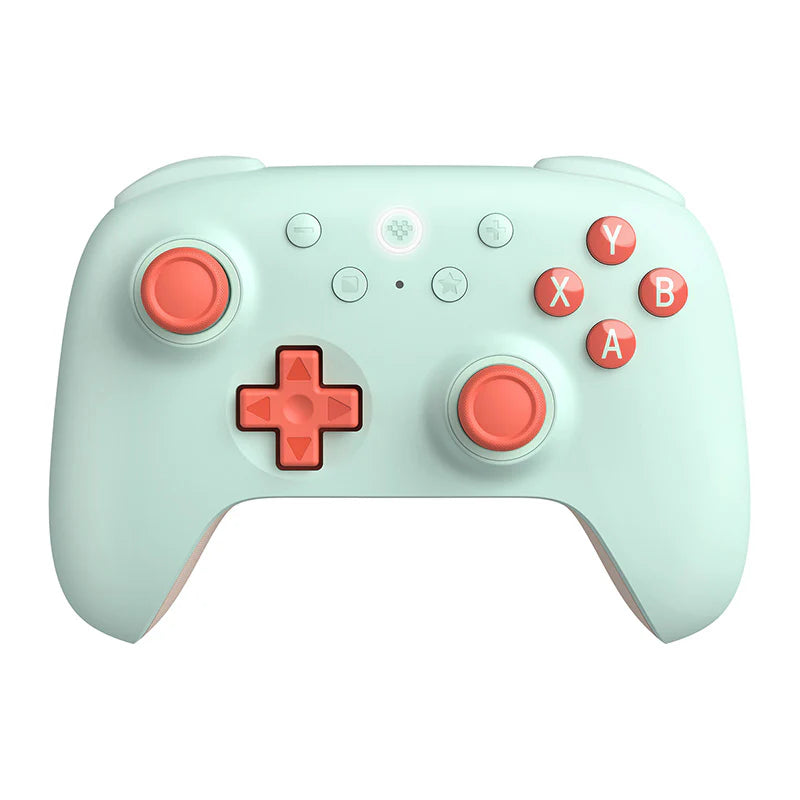
Ultimate 2C Wireless
Start here for straightforward PC play. It has extra shoulder buttons, but no charging dock in the standard manufacturer package.
Watch for: Bluetooth on this model is for Android. It does not make this the Switch model.
8BitDo buying guide · Checked 8 September 2026
Start with your platform, then choose the model, then the colour or bundle. A familiar controller shell can hide a different connection, button layout or set of supported devices.
For PC, compare Ultimate 2C Wireless and Ultimate 2 Wireless. For Switch, compare Ultimate 2C Bluetooth and Ultimate 2 Bluetooth. If you play on both, inspect Ultimate 2 Bluetooth first.
4 models shown. Native support; adapters and workarounds are outside this guide.
| Exact model | Windows PC | Nintendo Switch | Android |
|---|---|---|---|
| Ultimate 2C Wireless → | 2.4 GHz receiver or USB | Not advertised | Bluetooth |
| Ultimate 2C Bluetooth → | Not advertised | Bluetooth or USB | Not advertised |
| Ultimate 2 Wireless → | 2.4 GHz receiver or USB | Not advertised | Bluetooth |
| Ultimate 2 Bluetooth → | 2.4 GHz receiver or USB | Bluetooth, receiver or USB | Not advertised |
This table focuses on PC, Switch and Android. Firmware and minimum OS versions can matter; see the linked manufacturer sources.
Start here for straightforward PC play. It has extra shoulder buttons, but no charging dock in the standard manufacturer package.
Watch for: Bluetooth on this model is for Android. It does not make this the Switch model.
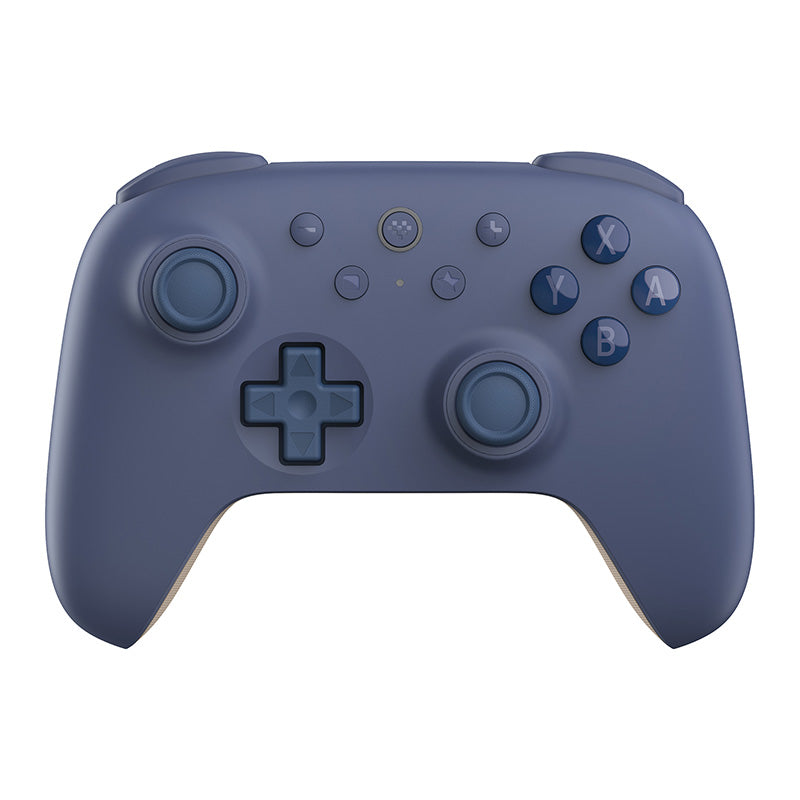
Consider this for Switch play with motion controls when you do not need the larger Ultimate 2 feature set.
Watch for: Similar shell to 2C Wireless, different platform support. Check firmware requirements for Switch 2.
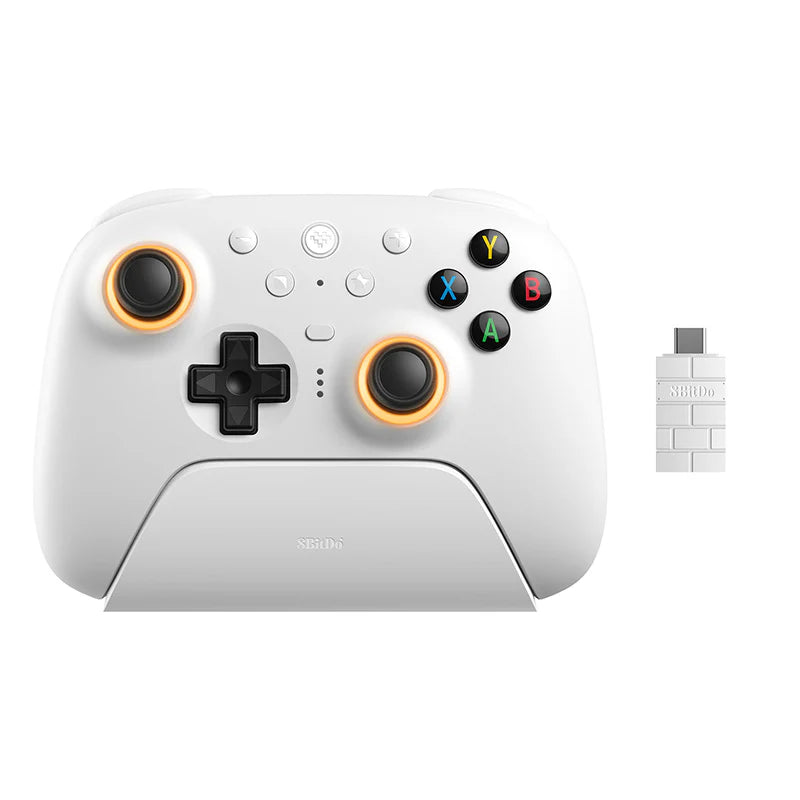
Consider the step up for TMR sticks, rear controls and a charging dock. Check the exact box contents for themed editions.
Watch for: This is not Ultimate 2 Bluetooth or the older Ultimate 2.4G. The manufacturer also lists Apple and SteamOS support; check its current OS requirements.
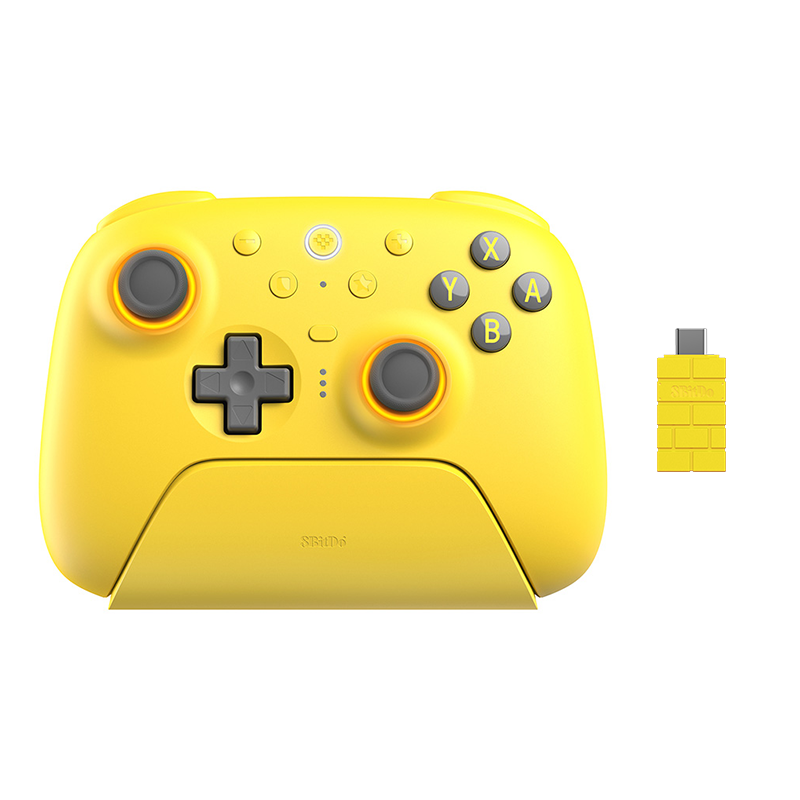
Consider this when you use both Switch and PC and want a dock, rear controls and TMR sticks.
Watch for: The Bluetooth name does not mean PC connects over Bluetooth. Switch 2 support requires the appropriate firmware.
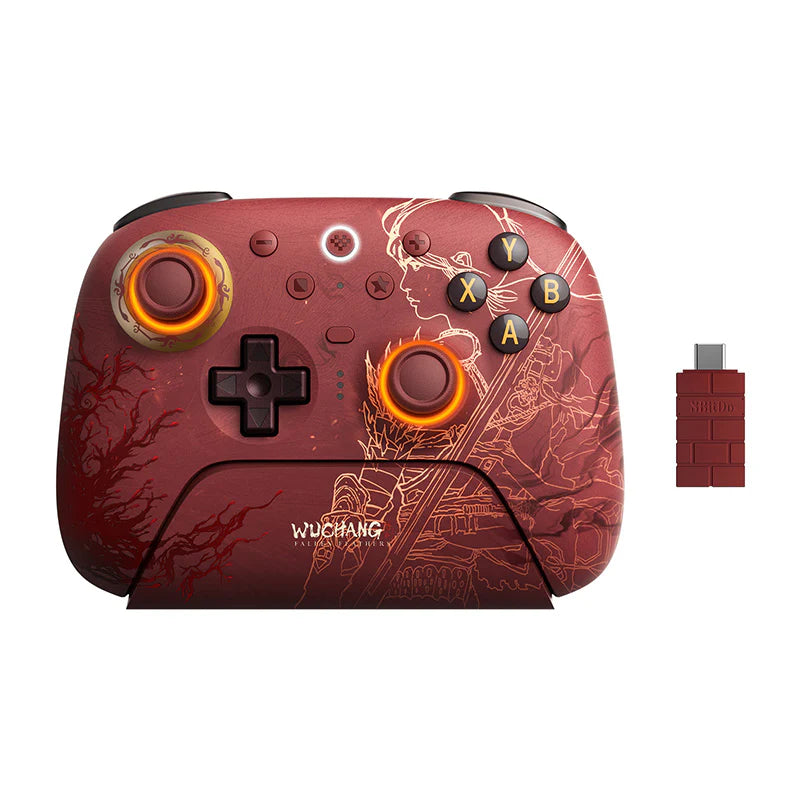
Special edition example
The red artwork and matching dock identify this edition. Its manufacturer specifies Windows over receiver or USB and Android over Bluetooth. Do not substitute the compatibility of Ultimate 2 Bluetooth because both names contain “Ultimate 2”.
Likewise, Black Myth: Wukong Ultimate 2C is sold in separate Wired and Wireless versions. Check the edition selector, not just the box art.
No. The Ultimate 2C Wireless also has Bluetooth, but its manufacturer lists that connection for Android. Ultimate 2C Bluetooth is a separate Switch model. Match the complete product name and connection mode.
Among the four models covered here, Ultimate 2 Bluetooth lists both platforms. Use its receiver or USB on Windows, and a supported Switch connection. Ultimate 2C Bluetooth does not advertise Windows support.
Do not assume so. Check the underlying model, wired or wireless version, receiver and included accessories. The Black Myth: Wukong Ultimate 2C store page offers separate Wired and Wireless choices. Artwork alone cannot identify their capabilities.
Button layout does not establish Xbox console compatibility. None of these four models advertises native Xbox console support. Look for an explicitly Xbox-compatible model and check whether its Xbox connection is wired.
Based on linked manufacturer claims, checked 8 September 2026. This guide covers four commonly confused models, not every 8BitDo controller. Prices and availability are shown separately on product pages.